
REVIEW · NEW YORK CITY AUDIO TOURS
Brooklyn Bridge Self-guided Bike Tour App – Audio + Written
The best thing about this Brooklyn Bridge tour app is the freedom. You choose the pace, the stops, and even the mode of transport. Ride your own bike, rent one separately, or walk the route while your phone supplies short history notes, audio, photo stops, food suggestions, and public restroom locations.
I like the 365-day access and the fact that one purchase code can be used by everyone in your group. I also like the practical extras. Finding a good lunch spot or a public bathroom can save a lot of time in Lower Manhattan. The main drawback is that this is only a digital tour. Bike rental, helmet, lock, and bag cost extra, and the app depends on your phone, data plan, and location services.
Key points to know before you book

- One code covers your group: Buy the app for one person, then use the code on each member’s phone.
- Start at the Woolworth Building: Walkers and people with their own bikes can begin there.
- Bike rental is separate: Rental arrangements are available through Unlimited Biking at 79 Chambers Street.
- Audio and written stops: Each marked location includes a short history and fun facts.
- Useful city details: The app points out food recommendations, photo locations, movie sites, and public restrooms.
- Use it for a full year: Your access lasts 365 days from first activation, not just one afternoon.
A flexible way to see the Brooklyn Bridge
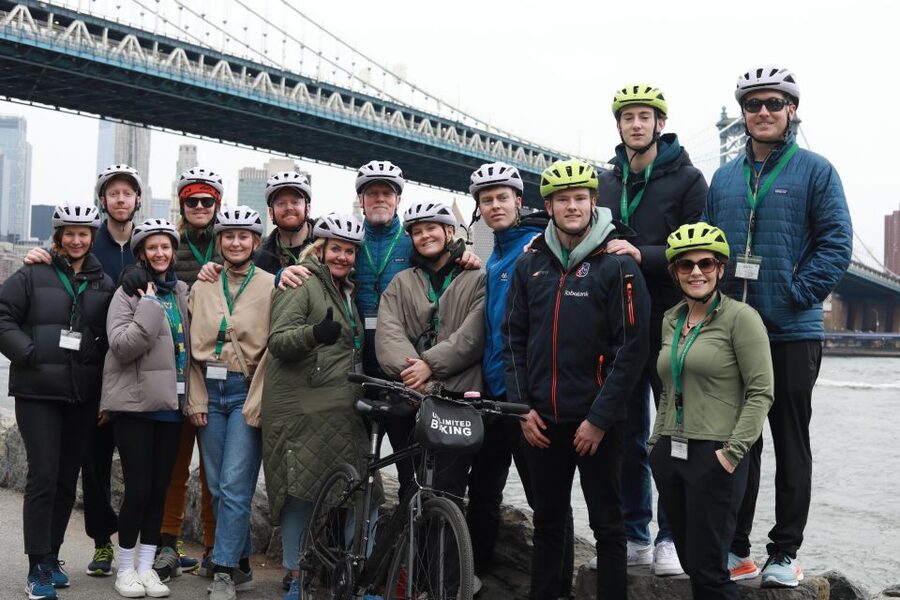
The Brooklyn Bridge is easy to admire from a distance, but crossing it is more rewarding when you know what you are looking at. This app gives you a route through Lower Manhattan, across the bridge area, and into Brooklyn, with marked stops along the way.
You are not tied to a guide, a departure time, or a fixed group. That matters in New York, where a good photo may require waiting, a busy crossing may call for patience, and lunch can easily take longer than planned. You can stop the audio, read the written material, or skip a location without holding anyone up.
The route works for both cycling and walking. If you ride, you will cover more ground and can add stops in Brooklyn with less effort. If you walk, you can take your time on the bridge and pause often for views and photographs. The app does not provide the bicycle itself, so you need to arrange that separately or bring your own.
More Self-Guided Bike Tours in the USA
- Red Rock Canyon Self-Guided Electric Bike Tour
★ 5.0 · 783 reviews - Haleakala Sunrise Best Self-Guided Bike Tour
★ 4.5 · 745 reviews - Best Haleakala Downhill Self-Guided Bike Tour with Maui Sunriders
★ 5.0 · 496 reviews
Starting near the Woolworth Building
If you already have a bike or plan to walk, the suggested starting point is the Woolworth Building. This places you in Lower Manhattan, close to the southern end of the Brooklyn Bridge route and several major city sights.
For riders who need a bicycle, Unlimited Biking is at 79 Chambers Street. Bike rental is not part of the $5 app purchase. Helmets, bike bags, and bike locks are also not included, so check the rental details before setting out.
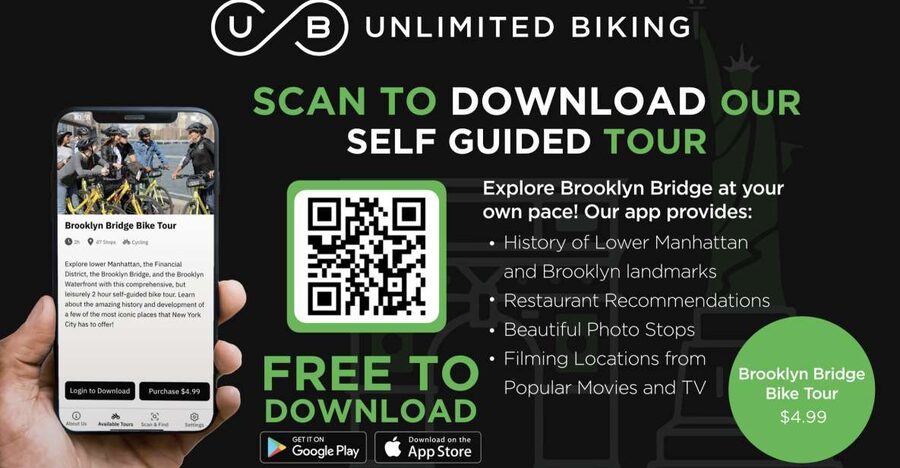
The app is free to download for Android and iPhone. Your purchase supplies a code that waives the in-app tour charge. Since the code can be used by the full group, the value improves quickly if you are exploring with friends or family. A group should not need to buy one code per phone.
Before leaving, download the app, activate the code, and turn on location services. A data plan is recommended. I would also make sure your phone has enough battery for the ride or walk, since the app is the guide, map, audio player, and reference tool all at once.
Following the route across Lower Manhattan
The Lower Manhattan section gives you a useful sense of place before or after the bridge crossing. The app marks notable locations and supplies short written and audio explanations, so you can decide how much information you want at each stop.
This format suits people who like a little context without being locked into a long lecture. You can listen while standing at a location, then return to the written text if you want to check a detail. The information is described as brief, which is useful on a bike but may leave serious history fans wanting more.
The map uses color coding to separate the main route from other types of stops. That lets you shape the outing around your interests. Follow the primary route for the main landmarks, choose movie and television locations if you enjoy screen history, or focus on scenic points and food suggestions.
That choice is one of the app’s better features. New York sightseeing can become a checklist exercise, with one stop blurring into the next. A color-coded map helps you choose a manageable plan instead of trying to see everything at once.
Crossing the Brooklyn Bridge at your own pace
The bridge is the central attraction, and the self-guided format gives you room to enjoy it without a group pressing forward. You can stop for pictures, replay a short explanation, or wait for a clearer view before continuing.
If you are walking, allow extra time for pauses. The route is not simply a point-to-point transfer. You will likely want to look around, take photographs, and compare the Manhattan and Brooklyn sides. The app’s photo-focused stops can help you notice places that might otherwise be passed in a hurry.
Cyclists should remember that the bridge route is shared with pedestrians. The app does not replace common sense or local signs. Go slowly, give people space, and be ready to stop. The ability to ride does not mean every part of the route will feel like a fast bike trip.
The bridge can also be one of the more demanding parts of the outing for anyone who is not used to city cycling or long walks. Since the app does not include a guide, you are responsible for your own pace and route decisions. That independence is a benefit for confident explorers, but it may feel less reassuring if you prefer someone to manage the way.
More Smartphone App Tours in the USA:
- San Francisco: Alcatraz Ticket, Ferry, & Self-Guided App
★ 4.5 · 2,460 reviews - Self-Guided Smartphone Ghost Walking Tour in Salem
★ 4.5 · 225 reviews - Waimea Canyon & Na Pali Driving Tour app
★ 4.5 · 116 reviews - Santa Fe Historic Downtown Smart Phone Audio App Self Guided GPS Walking Tour
★ 4.5 · 112 reviews
Exploring Brooklyn beyond the bridge
Once you reach Brooklyn, the app continues with marked points of interest rather than ending at the bridge. The supplied information does not promise a fixed number of stops, so you should think of it as a flexible route through selected locations, not a timed tour with a guaranteed sequence.
The Brooklyn section is useful because it gives you a reason to continue after the classic bridge photograph. You can follow the main stops, look for scenic locations, or use the food recommendations to build a break into the day.
This is also where the bike option can make more sense. A bicycle lets you reach more of the marked route without committing to a long walk back and forth. Still, the app does not provide a guided cycling group, so you should be comfortable navigating with your phone and making your own decisions about when to stop.
For walkers, the route can be treated as a loose sightseeing plan. You do not need to finish every marked location. Pick the stops that interest you, then return by your chosen method. The app remains valid for 365 days from activation, so there is no need to force the entire experience into one day.
Movie locations and photo stops
The app adds two useful layers beyond basic landmark information. One identifies places connected with television and movies, including filming locations tied to well-known productions. The other points out locations selected for their beauty and photo appeal.
The screen locations are best for visitors who enjoy connecting a real street corner with a familiar scene. The app tells you where to look, which can add a fun theme to an otherwise standard bridge outing.
The photo stops are more practical. New York gives you plenty of possible pictures, but a good view is not always obvious from street level. Marked photo points can help you plan where to pause instead of taking random pictures and hoping one works.
Do not expect a professional photographer or a promise of empty viewpoints. The app only directs you to locations. Crowds, traffic, weather, and construction can affect what you see. Still, having a suggested photo stop is better than rushing across the bridge and realizing later that you missed the best angle.
Food recommendations and public restrooms
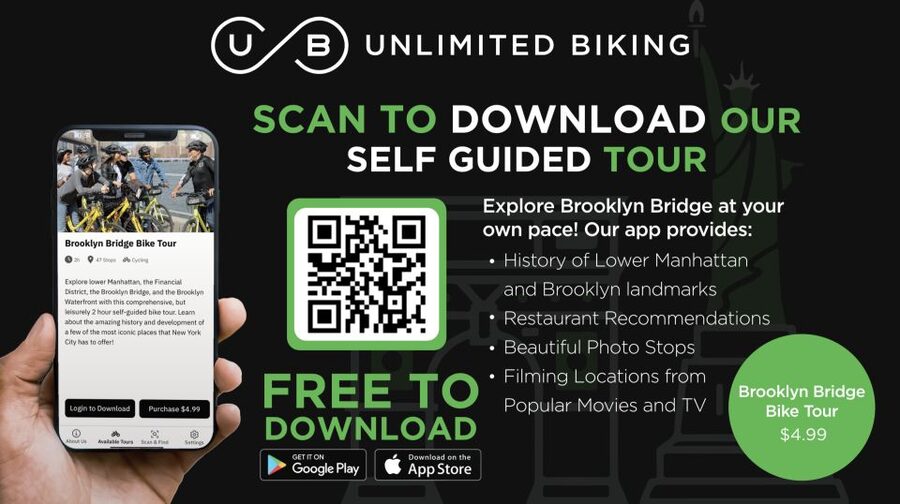
These may sound like small additions, but they are some of the most useful parts of the app. A long bike ride or walk through Lower Manhattan and Brooklyn needs practical breaks, and restaurant suggestions can save you from making a choice while tired or hungry.
The food stops are recommendations rather than included meals. You pay for anything you order, and the app does not guarantee opening hours or availability. Treat the suggestions as a starting point, then check what is open when you arrive.
Public restroom locations are especially helpful on a self-guided outing. Unlike a guided tour, this experience does not automatically build in comfort stops. Knowing where bathrooms are can make the day easier for families and anyone planning a longer walk.
One app user found both the restaurant and bathroom information useful during a ride. That detail makes sense: these are the kinds of services you may not think about before setting out, then appreciate once you are several miles from your starting point.
What the $5 price really buys you
At $5 per person, the app is inexpensive by New York sightseeing standards, but the important point is how you use it. You are paying for route planning, audio and written information, location-based prompts, and practical suggestions. You are not paying for a bicycle, equipment, a live guide, or admission to a landmark.
For a solo explorer, the price is a low-cost way to add structure to a day. For a group, the value is better because one code can be used by everyone. Four people can share the same purchase code on their own phones, according to the supplied instructions.
The 365-day validity also changes the calculation. You could activate it for one visit, then use the route again during another trip within the year. The product is non-refundable, however, because it can be activated before the booked date. Since the access period begins with first activation, wait until you are ready to use it.
The main cost question is transportation. If you need a bike, rental fees are extra, as are any equipment charges. If you already have a bike or plan to walk, the app becomes a much simpler and cheaper sightseeing aid.
Who will get the most from this app
I would recommend it most to independent visitors who dislike fixed schedules. You can begin near the Woolworth Building, choose your stops, and take breaks without asking a guide or group to wait.
It also suits first-time visitors who want basic context while keeping control of the day. The audio and written formats help you choose how much attention to give each location. A person who likes movie locations, food stops, and photo planning will get more from it than someone who only wants to cross the bridge once.
Families may appreciate the ability to pause for food and bathrooms, though the adult in charge must handle navigation and phone use. Cyclists should be comfortable sharing city routes with pedestrians and managing their own equipment.
This is less suitable if you want a live guide, a detailed historical lecture, or a bicycle included in the price. It also may not be ideal if your phone has limited data, weak battery life, or location services turned off.
The activity is wheelchair accessible, but the supplied details do not explain every surface, route condition, or access point. If you need specific accessibility information, confirm the route details before activating the app.
Should you book the Brooklyn Bridge app?
Book it if you want a low-cost, flexible plan for Lower Manhattan, the bridge, and Brooklyn, especially if you are traveling with a group. The combination of audio, written stops, film locations, photo points, food tips, and restroom locations gives you more than a simple map.
Skip it if you expect a guided tour, bike rental, or full equipment package. The app is a tool, not a staffed excursion. You will need your own transport plan, data connection, charged phone, and willingness to make decisions along the way.
For most self-directed visitors, the $5 cost is reasonable, and the shared code makes it particularly good for groups. Activate it when you are ready to explore, then use the color-coded route to build a bridge outing that fits your own energy, interests, and appetite.
FAQ
How much does the Brooklyn Bridge self-guided bike tour app cost?
The app experience costs $5 per person. Bike rental, helmet, bike bag, and bike lock are not included.
Can the whole group use one purchase code?
Yes. One customer can purchase the product, and the code can be used by all members of the group on their phones.
Do I need to rent a bicycle?
No. You can use your own bike or walk the route. If you want to rent a bike, rental arrangements are available through Unlimited Biking at 79 Chambers Street.
Where can I start the tour?
If you are walking or using your own bike, you can begin at the Woolworth Building. Rental customers should go to Unlimited Biking at 79 Chambers Street for the bicycle rental.
How long is the app valid?
The app is valid for 365 days from first activation. It is not limited to one day of use.
Does the app require location services and mobile data?
Yes. The app uses geo-location services, and a data plan is recommended. You need an Android or iPhone device to download and use it.
Just added around the USA
- Springfield Self-Guided Walking Audio Tour★ 4.0 · 5 reviews
- Smartphone Guided Indianapolis Downtown Sites Audio Walking Tour★ 4.5 · 7 reviews
- Smartphone-Guided Walking Tour of Downtown Indianapolis Sights & Stories★ 4.0 · 25 reviews
- Indiana Dunes National Park Self-Guided Audio Tour★ 3.5 · 4 reviews
- Self-Guided Audio Driving Tour in Kancamagus Highway★ 4.5 · 6 reviews
- An Epic Scavenger Hunt: Bloomington Scenic Southern Indiana★ 3.5 · 6 reviews
- Huntsville Rocket City Smart Phone Self Guided Audio (GPS/APP) Walking Tour★ 4.5 · 5 reviews
- Sights of Downtown Houston Smartphone Audio Walking Tour★ 4.0 · 7 reviews
New York City Audio Tours, compared.

An Epic Scavenger Hunt: New York City Central Park Adventure
Read our review →
Skyline Night Bus Audio Narrated Tour Experience
Read our review →
NYC: Metropolitan Museum of Art Guided or Self-Guided Tour
Read our review →
PRIVATE New York Ground Zero Always Remember Walking Tour
Read our review →
Cathedral of St. John the Divine: Self-Guided Tour
Read our review →
Self-Guided Tour of the Museum at Eldridge Street
Read our review →Browse the lists this tour appears in