
REVIEW · LOS ANGELES AUDIO TOURS
Hollywood Fame & Celebrity Homes Self-Guided Audio Bundle Tour
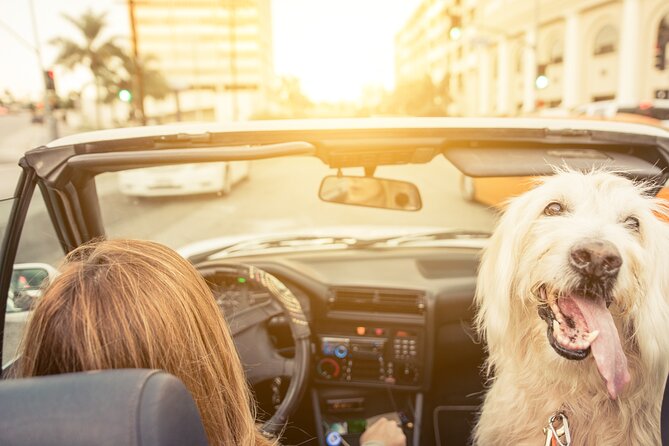
The fun here is seeing Los Angeles from behind the wheel while the app points out celebrity homes, famous neighborhoods, and city views. The route runs from Sunset Boulevard to the Hollywood Sign, covering Beverly Hills, Bel Air, Rodeo Drive, and the Hollywood Hills without a bus group or fixed departure time.
I like the low price per car and the freedom to stop for photos, snacks, or a side trip. I also like the offline map and location-triggered narration, which can make a long drive feel more purposeful. The main catch is that many homes sit behind gates, walls, trees, or private roads, and the app can be awkward to manage while driving.
Key points
- A 27-mile drive: Plan on roughly three to four hours for the full route, not just a quick spin around Hollywood.
- More than 40 audio stories: The narration adds background to celebrity homes and major Los Angeles sights.
- One price covers four people: At $16.99 per group, this is far cheaper than paying four individual tour fares.
- Download before you go: The tour must be saved to your phone while you have strong Wi-Fi or cellular service.
- Homes are often hard to see: Privacy gates, thick greenery, walls, and private roads are part of the experience.
- A passenger helps: The audio should play automatically, but route changes and app controls are much easier with someone beside you.
What this Hollywood drive actually delivers
This is not a tour of grand interiors or a chance to walk up to celebrity front doors. It is a self-guided driving route through some of Los Angeles’ most expensive and famous neighborhoods, with audio stories attached to points along the way.
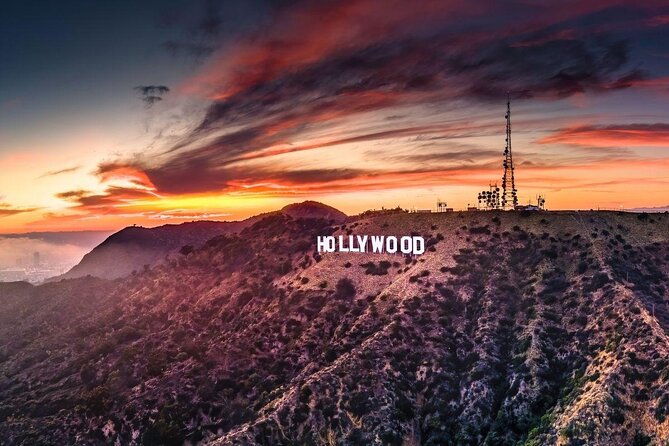
You begin at 7138 Sunset Boulevard and work through Hollywood, the Sunset Strip, Beverly Hills, Rodeo Drive, Bel Air, and the Hollywood Hills. The final stop is the Hollywood Sign, where the tour shifts from celebrity gossip and house histories to the sign’s background and broad views across Los Angeles.
The route is listed as taking two to three hours in one place, but the fuller instructions put it at about three to four hours. I would plan for the longer figure. The route covers more than 27 miles, and Los Angeles traffic, photo stops, wrong turns, and short breaks can stretch the clock.
The experience is private to your group. Nobody meets you at the start, and there is no guide in another vehicle leading the way. Instead, you download the Action Tour Guide app, enter the password sent by email and text, and let the phone trigger stories as you reach each point.
More Audio Tours in the USA:
- Fort Sumter Admission and Self-Guided Tour with Roundtrip Ferry
★ 4.5 · 3,343 reviews - San Francisco: Alcatraz Ticket, Ferry, & Self-Guided App
★ 4.5 · 2,460 reviews - Los Angeles: Hop-On Hop-Off Bus Tour with Audio Guide
★ 3.7 · 2,030 reviews
Starting on Sunset Boulevard
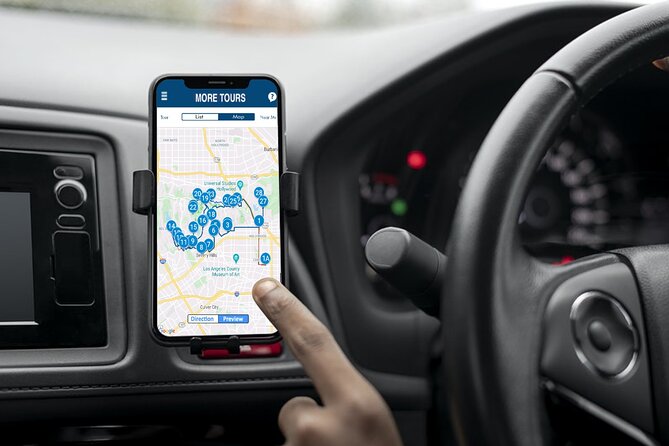
Sunset Boulevard is a sensible starting point because it puts you close to Hollywood’s entertainment core before the route climbs toward the wealthier residential districts. You begin at the first story point, and the audio should start automatically once the app recognizes your location.
You can connect your phone to the car stereo by Bluetooth, USB, or AUX. Apple CarPlay is supported for audio playback, while Android Auto support is still described as forthcoming. If you are driving, set up the route before moving. Do not try to read the map or tap through story lists at busy intersections.
The first part gives you a feel for how the system works. Audio stories play based on your position, and the route guides you from one point to the next. You can pause the tour, stop for pictures, or take a break for food. The lifetime access means you can also split the route across multiple days, though the full experience is easiest to understand when you follow the route in one outing.
Hollywood Boulevard and the celebrity trail
The route includes Hollywood Boulevard and then spreads into the neighborhoods where famous residents have owned homes. The appeal is less about a single spectacular house and more about connecting names, streets, and neighborhoods as you drive.
You may hear about actors, musicians, and other well-known figures associated with the area. The tour also gives you a reason to notice the streets around you instead of simply passing through them. That matters in Los Angeles, where a wall, a long driveway, or a bend in the road may be the only visible clue that a well-known home lies beyond it.
The audio adds context while you drive, but it does not provide a story at every point of interest. Some stretches include directions or route prompts without much explanation of the homes and buildings around you. If you need constant commentary, this may feel thin during parts of the drive.
The app has also had trouble locating certain houses accurately. A celebrity address may be difficult to identify from the road, and descriptions can become confusing when trees, walls, or changed property features no longer match the narration. Keep expectations sensible: you are following a guided route through private residential areas, not visiting an open-air museum.
Beverly Hills, Rodeo Drive, and Bel Air
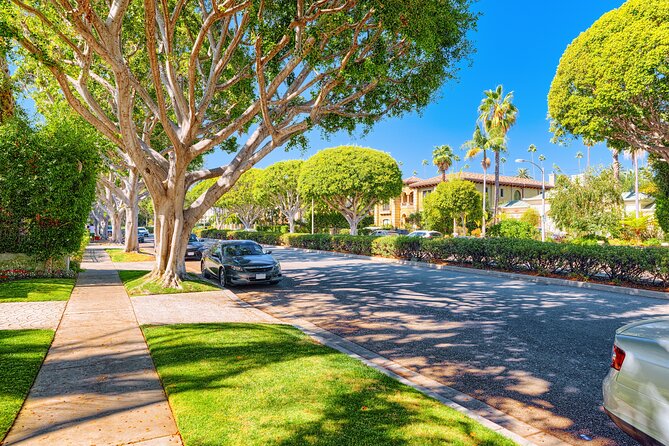
As the route moves toward Beverly Hills, Rodeo Drive, and Bel Air, the setting becomes part of the attraction. You are driving through polished commercial streets and high-end residential areas, with the audio pointing out famous people and properties along the way.
Rodeo Drive gives the tour a change of pace. It is not only about houses. The area helps show how Los Angeles mixes shopping, celebrity culture, grand homes, and public streets within a fairly compact drive.
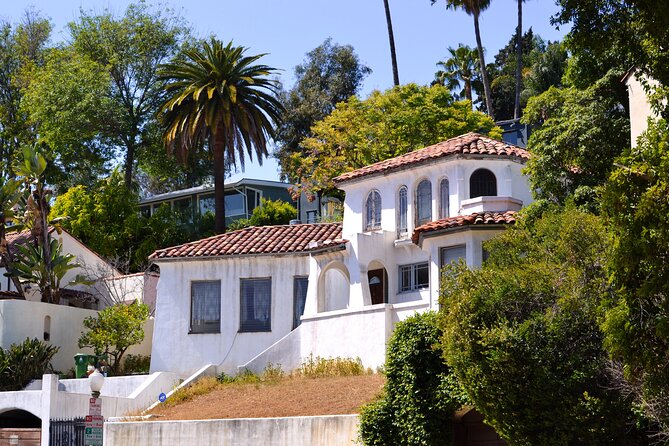
Bel Air is more private. Here, the physical experience can be frustrating if you expect clear views of every property. Many homes are protected by gates, walls, trees, or long approaches. You may find yourself looking at an entrance rather than a house, with the story doing more work than the view.
That is not a flaw unique to this tour. Celebrity homes are private by design. Still, it affects the value. If your main goal is to photograph impressive buildings, you may come away disappointed. If you enjoy the stories and the pleasure of driving through these districts, the limited views are easier to accept.
Same place, a different route to walk:
- City Sightseeing Hop-On Hop-Off Bus Tour with Audio Guide
★ 3.0 · 1,083 reviews - Medieval Torture Museum Ticket with Audio Guide and Ghost Hunting
★ 5.0 · 962 reviews - Gettysburg Battlefield Self-Guided Driving Audio Tour
★ 4.5 · 910 reviews - Ryman Auditorium Self-Guided Tour with Souvenir Photo Onstage
★ 4.5 · 903 reviews
The Michael Jackson stop
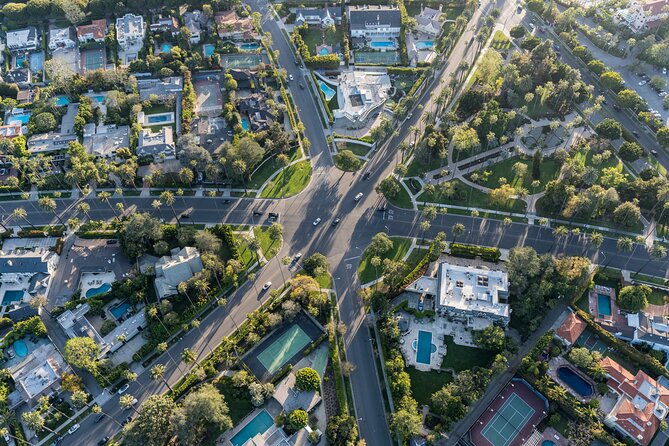
One of the more notable stops is the large white mansion where Michael Jackson spent the final years of his life. The audio places the property within Jackson’s public story, from his worldwide fame to the controversy that marked the later period of his life.
This is the sort of stop that works best as a narrated historical point rather than a visual attraction. You may not see much beyond a wall or gate, but the location carries strong cultural meaning. The story gives the drive a clearer focus and reminds you that these quiet residential streets have connections to major moments in popular culture.
As with the other homes, be respectful. The tour takes you through private neighborhoods, and the purpose is to hear the context while passing through, not to linger outside a residence.
Reaching the Hollywood Hills
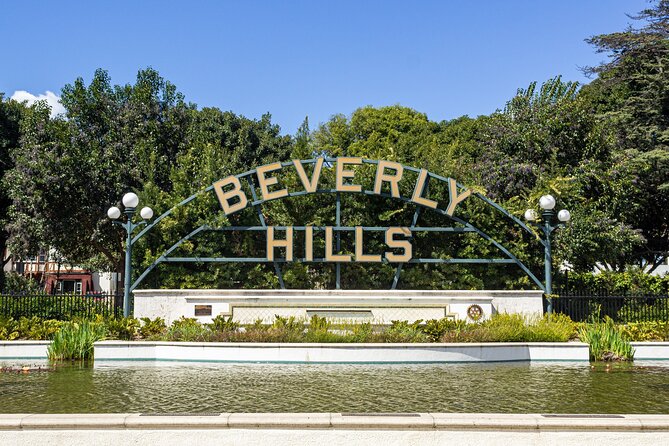
The Hollywood Hills section brings more bends, slopes, and city views. It also creates some of the tour’s best photo chances, particularly if you travel near dusk. The changing light can make the hills and the city below more interesting than a row of closed gates.
Navigation becomes especially important here. Some streets are difficult to read because branches can cover street signs, and the winding roads can make it harder to match the app with what you see. Follow the suggested route and obey the posted speed limit. If you miss a turn, avoid trying to fix everything while moving.
The app is designed to work hands-free, but real use depends on the initial setup and your phone. Some people find the automatic audio easy once the tour is running. Others have had trouble with map displays, story lists that return to the top, or directions that arrive too late. A passenger can handle the phone and let the driver concentrate on the road.
If you are alone, you need to be stricter with yourself. Pull over before changing routes, checking a stop, or taking a photograph. The tour is not worth unsafe phone use.
Finishing at the Hollywood Sign
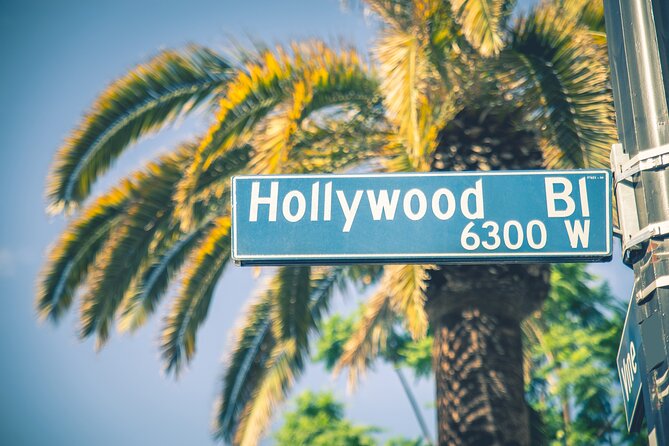
The Hollywood Sign is the natural final stop. Here, the experience moves beyond individual celebrities and gives you a famous Los Angeles symbol to photograph.
The audio includes lesser-known background about the sign, along with views over the city. This ending helps balance the private-home theme. Even if a few houses prove hard to spot, you still finish at a recognizable public landmark with a clear visual payoff.
The sign area can also help you judge your timing. If you start late, remember that traffic and road conditions can make the route longer than the basic estimate. The listed operating window is 6:00 AM to 9:00 PM daily, from July 8, 2020 through March 6, 2027. Starting earlier gives you more room for stops, but dusk can provide attractive views in the hills.
The app is the make-or-break detail
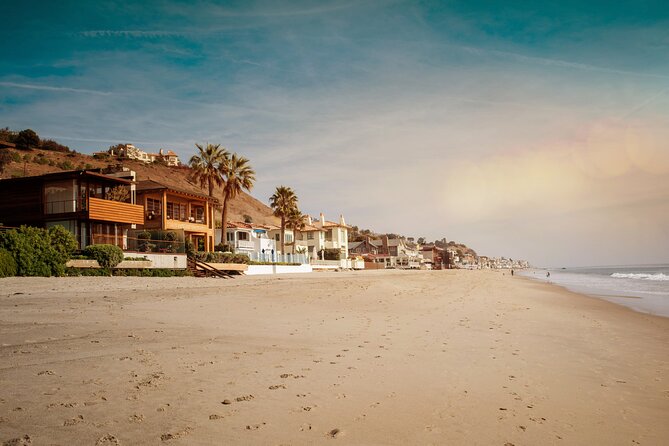
The tour’s strongest feature and its biggest weakness are the same thing: the app. It keeps the experience private and inexpensive, but it also asks you to handle the technology correctly.
Download the separate Action Tour Guide app and the tour content at home or at your hotel. You need strong Wi-Fi or cellular service for this step. Once the route is downloaded, it works offline, which is important because some parts of the route have weak or unavailable cell service.
Search your email and text messages for the setup instructions and password. If you buy or use more than one tour, launch the version that matches your starting point and direction. If only one tour appears, open that version once you arrive at the starting point.
The story list can be used manually if you want to skip a celebrity or jump ahead. After doing so, close and reopen the app if the automatic location triggers stop behaving properly. You should also know that switching between map and story views may send the list back to the top, forcing you to scroll again.
These are small annoyances when you are sitting still. They become serious problems when you are trying to drive. I would assign one person in the car to be the navigator and keep the driver focused on the road.
Is $16.99 good value?
At $16.99 per group of up to four, the price is the clearest reason to consider this tour. A full car can take the route for less than the cost of many single-person sightseeing tickets. You also receive lifetime access with no expiry, so the same purchase can be used on a later Los Angeles trip.
The value depends on what you want. If you want a polished guide, reliable turn-by-turn navigation, and a clear view of every home, the low price does not remove the drawbacks. A paid guided vehicle tour may be easier for you because someone else handles the driving and navigation.
If you enjoy self-guided sightseeing, the savings are substantial. You choose the start time, take breaks when you like, and can skip stops that do not interest you. The route also lets you use your own car, which means no shared group and no waiting for other people.
The free cancellation policy allows a full refund when you cancel at least 24 hours before the start time. Cancellations inside 24 hours are not refunded, and changes inside that window are not accepted.
Who should book this experience?
I would recommend it most to couples, families, or friends sharing a car, especially when one person can manage the app while another drives. It also suits repeat visitors who want a flexible neighborhood drive rather than another standard Hollywood attraction.
You will get the most from it if you enjoy audio storytelling, celebrity culture, city views, and the simple pleasure of seeing how Los Angeles’ famous districts connect. The lifetime access is useful if you are staying only a short time and prefer to finish the route later.
I would be cautious if you are traveling alone, dislike smartphone navigation, or expect a house-by-house visual tour. You should also reconsider if unreliable apps quickly ruin your day. The technology has been praised for flexibility and accurate maps, but it has also caused enough confusion that careful preparation is essential.
My call: buy it for the freedom, not the fences
This is a good-value Los Angeles drive with a fun idea at its core. I like the private format, the per-car price, the location-triggered narration, and the chance to pause whenever you want. The Hollywood Sign finale and the city views give the route more substance than a simple list of addresses.
I would book it if you have a car, a passenger to help with the app, and realistic expectations about private homes. Download everything before leaving and allow three to four hours.
I would skip it in favor of a conventional guided tour if you need smooth navigation, constant commentary, or guaranteed views. The experience is best understood as a narrated drive through celebrity territory, not a close-up tour of celebrity houses.
FAQ
How much does the Hollywood Fame and Celebrity Homes tour cost?
The tour costs $16.99 per group, with up to four people included.
How long does the tour take?
The route covers more than 27 miles and takes about three to four hours to complete. Some basic descriptions give a shorter estimate of two to three hours, but the longer allowance is more practical.
Where does the tour begin?
The tour begins at 7138 Sunset Boulevard, Los Angeles, California 90046.
Where does the tour end?
The final stop is the Hollywood Sign in Los Angeles, California 90068.
Is this a guided group tour?
No. This is a private, self-guided driving activity. No guide meets you at the starting point.
What language is available?
The audio tour is offered in English.
Do I need cell service during the drive?
You need strong Wi-Fi or cellular service to download the app and tour content before starting. After that, the tour works offline.
What phone or device should I use?
An iPhone with iOS 15 or later, an Android device with version 9 or later, or an iPad or tablet with GPS and cellular connectivity is recommended.
Can I use the tour more than once?
Yes. The tour provides lifetime access with no expiry, so you can use it on multiple trips or split it across different days.
Are attraction tickets or reservations included?
No. Entry tickets, attraction passes, and reservations are not included.
Can I cancel for a refund?
Yes. You can receive a full refund if you cancel at least 24 hours before the experience start time. Cancellations within 24 hours are not refunded.
Just added around the USA
- Smartphone-Guided Walking Tour of Downtown Indianapolis Sights & Stories★ 4.0 · 25 reviews
- Springfield Self-Guided Walking Audio Tour★ 4.0 · 5 reviews
- Smartphone Guided Indianapolis Downtown Sites Audio Walking Tour★ 4.5 · 7 reviews
- Self-Guided Audio Driving Tour in Kancamagus Highway★ 4.5 · 6 reviews
- An Epic Scavenger Hunt: Bloomington Scenic Southern Indiana★ 3.5 · 6 reviews
- Indiana Dunes National Park Self-Guided Audio Tour★ 3.5 · 4 reviews
- Huntsville Rocket City Smart Phone Self Guided Audio (GPS/APP) Walking Tour★ 4.5 · 5 reviews
- Sights of Downtown Houston Smartphone Audio Walking Tour★ 4.0 · 7 reviews
Los Angeles Audio Tours, compared.
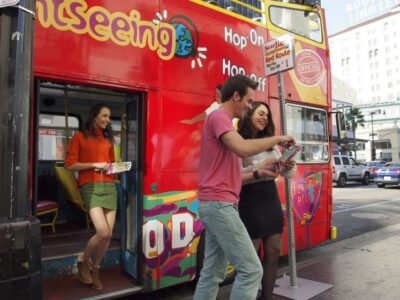
Los Angeles: Hop-On Hop-Off Bus Tour with Audio Guide
Read our review →
City Sightseeing Hop-On Hop-Off Bus Tour with Audio Guide
Read our review →
Hollywood Medieval Torture Museum Ticket with Ghost Hunting
Read our review →
Browse the lists this tour appears in